Northstar V3: Courses
Introduction
The Courses page, located under the Curriculum category, provides a centralized location for managing course-related information. This page consolidates several legacy forms into a single experience, including Courses, Course Sessions, and Course Modules. By bringing these functions together, administrators can efficiently manage all aspects of course setup and maintenance from one location.
The Courses page allows users to create, update, and review courses, manage course modules and sessions, view associated programs, and access course-related reports.
Viewing Courses
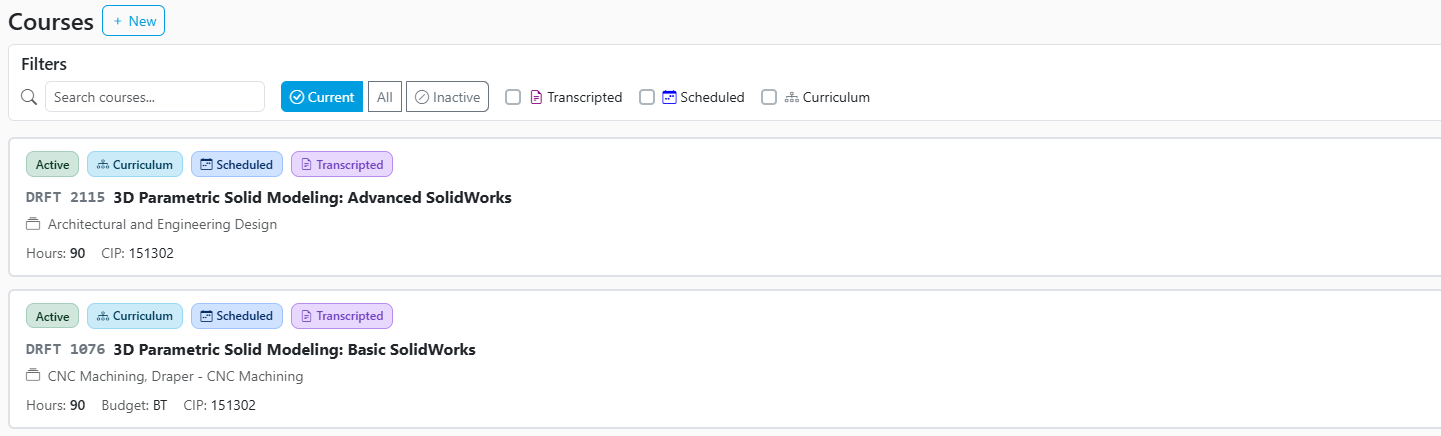
The Courses page displays all available courses.
Use the available filters at the top of the page to locate specific courses, including:
- Course search
- Current or Inactive courses
- Transcripted courses
- Scheduled courses
- Curriculum courses
Each course card displays key information, including:
- Course Number
- Course Name
- Hours
- Budget Code
- CIP Code
Course status indicators also provide quick visibility into whether a course is:
- Active or Inactive
- Associated with a Curriculum
- Scheduled
- Transcripted
These visual indicators allow administrators to quickly identify course settings without opening the course details.
Creating and Managing Courses
To create a new course:
- Navigate to the Courses page.
- Select +New.
- Enter the required course information.
- Select Create.
Course Details
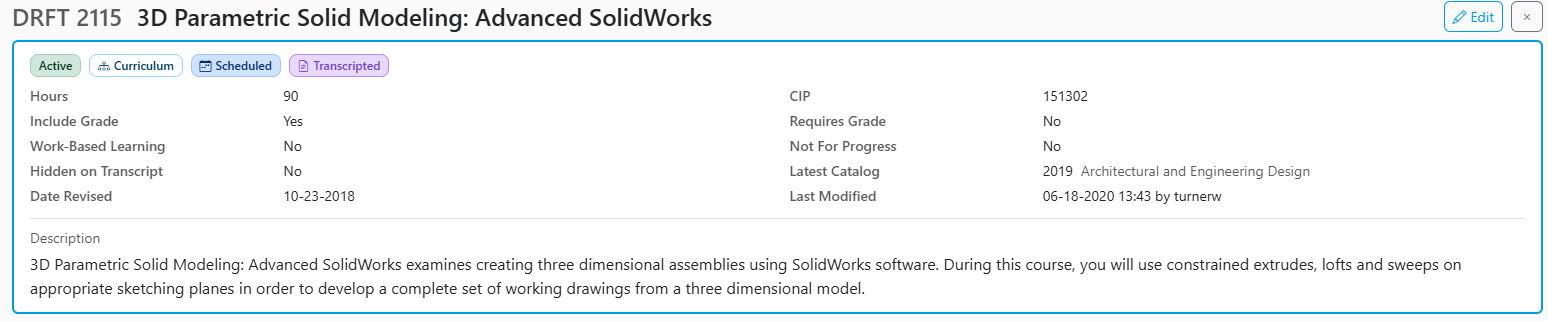
Select a course from the list to open the course details page.
The course details page provides comprehensive information about the selected course, including:
- Course Status
- Hours
- Credits
- CIP Code
- Instruction Type
- Budget Code
- Catalog information
- Grade requirements
- Work-Based Learning settings
- Transcript settings
- Course descriptions
- Last modified date and user
An Edit option is available for users with appropriate permissions to update course information.
Reports
The Courses page includes direct access to course-related reports:
- Course Completion (Admin and Instructors)
- Course Modules Completion
- Student Attend/Class Time
- Class Roll
- Student List/Program Details
These reports provide additional insight into student progress and course completion activity, supporting curriculum management and instructional oversight.

Modules
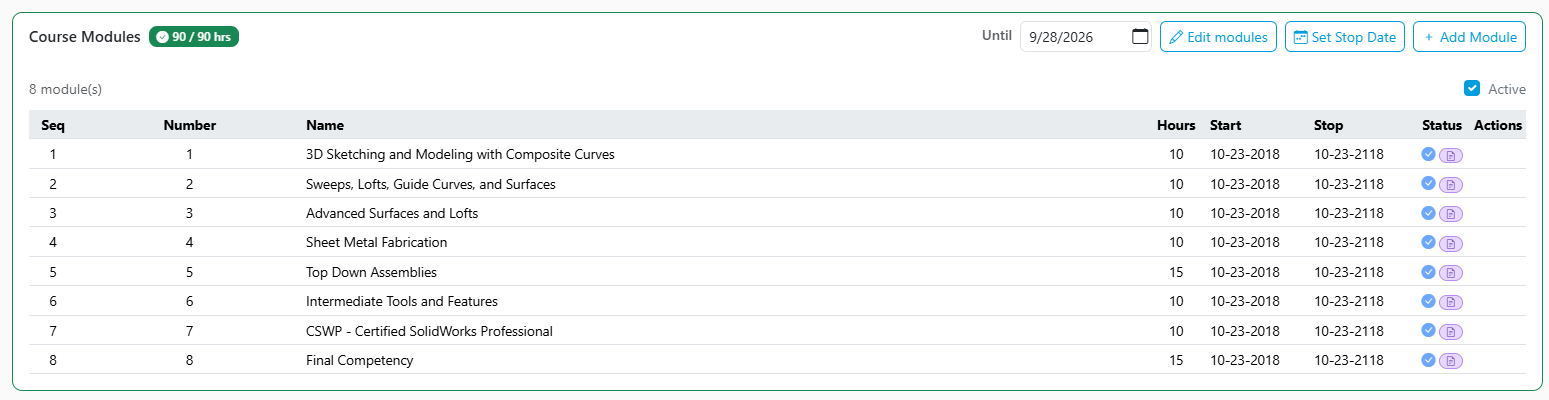
The Courses page provides access to all modules associated with a course.
Administrators can:
- View existing modules
- Add new modules
- Edit module information
- Review module requirements and structure
Maintaining modules from the course record simplifies course administration and helps ensure curriculum accuracy.
Programs
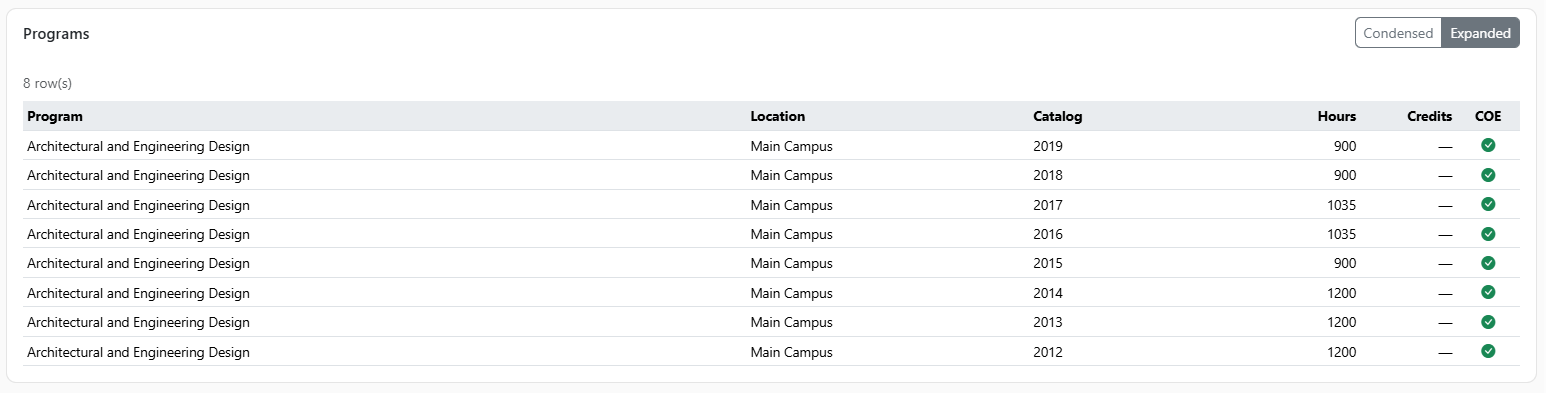
The Programs section displays all programs associated with the selected course.
This allows administrators to:
- Identify which programs use the course
- Review curriculum associations
- Determine the impact of course changes across programs
Program relationships are maintained directly within the course record, eliminating the need to navigate to separate curriculum pages.
Course Sessions
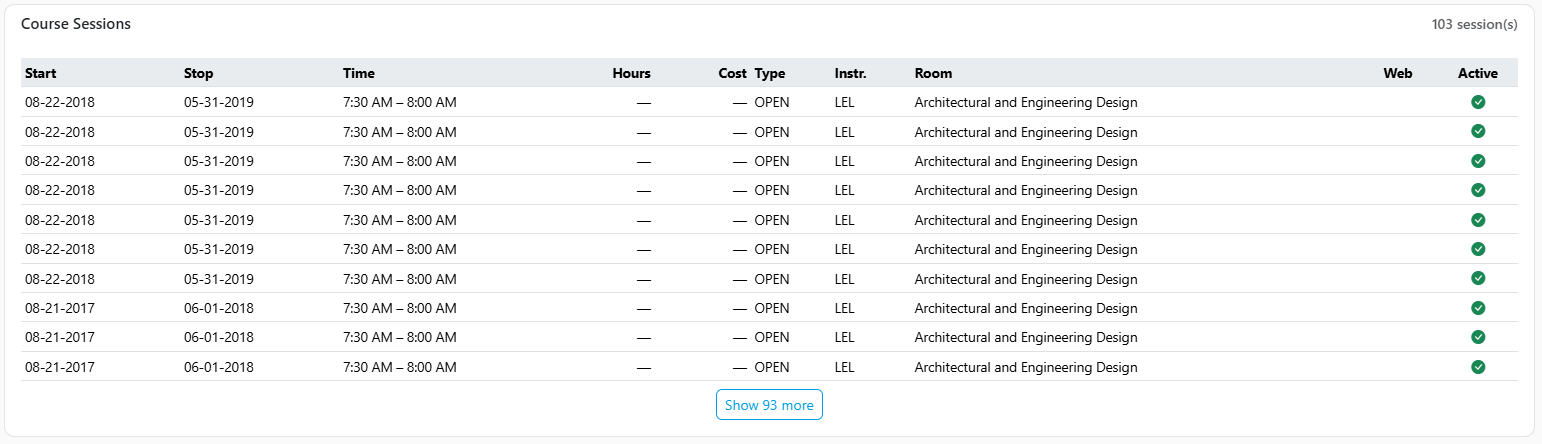
The Course Sessions section displays all sessions associated with the selected course.
Administrators can review:
- Existing sessions
- Session schedules
- Session availability
- Associated instructional information
Future release will include the ability to manage scheduling and course delivery.
Share Feedback
If you have questions, comments or feature suggestions, please submit them using the following form: https://forms.office.com/r/NreuhQX1Df or send an email to support@northstarmis.org
Your feedback is essential in helping us improve the new Northstar experience. Thank you for your support and participation!