Northstar V3: Logging In
Accessing the new Northstar Web-based application (Version3) is quick and straightforward. From the links below, select the link associated with your school and sign in using the same credentials you currently use for the Northstar desktop application.
- https://northstar.davistech.edu/
- https://northstar.dixietech.edu/
- https://northstar.mtec.edu/
- https://northstar.otech.edu/
- https://northstar.stech.edu/
- https://northstar.tooeletech.edu/
- https://northstar.ubtech.edu/
Getting started
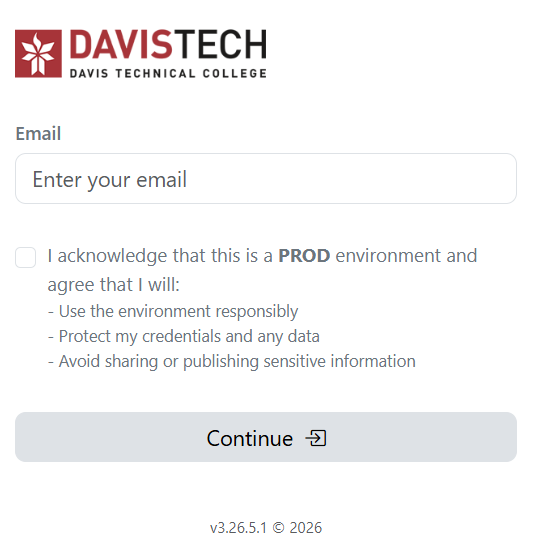
- Enter your email address.
- Review and acknowledge the statements by selecting the checkbox, then click Continue.
- Enter your password to complete the sign-in process.
Once logged in, you will be directed to the Northstar homepage.

For an overview of new features and functionality, visit the Northstar V3 Introduction articles.
Need Assistance?
If you experience any issues during login, please email support@northstarmis.org
Share Feedback
If you have questions, comments or feature suggestions, please submit them using the following form: https://forms.office.com/r/NreuhQX1Df or send an email to support@northstarmis.org
Your feedback is essential in helping us improve the new Northstar experience. Thank you for your support and participation!